 Hitting the button so you don't have to 🦊
WireFox
Intelligent WireGuard® Roaming for Windows.
The missing on-demand automation layer for WireGuard®. Automatically bypasses your VPN on trusted home Wi-Fi for full gigabit LAN speeds, and instantly locks down connections the moment you connect to an untrusted network.
irm https://raw.githubusercontent.com/TalviFox/WireFox/main/install.ps1 | iex
Sleek, Fast & Windows Native
Designed with modern dark WPF styling, native system tray integration, and zero clutter.
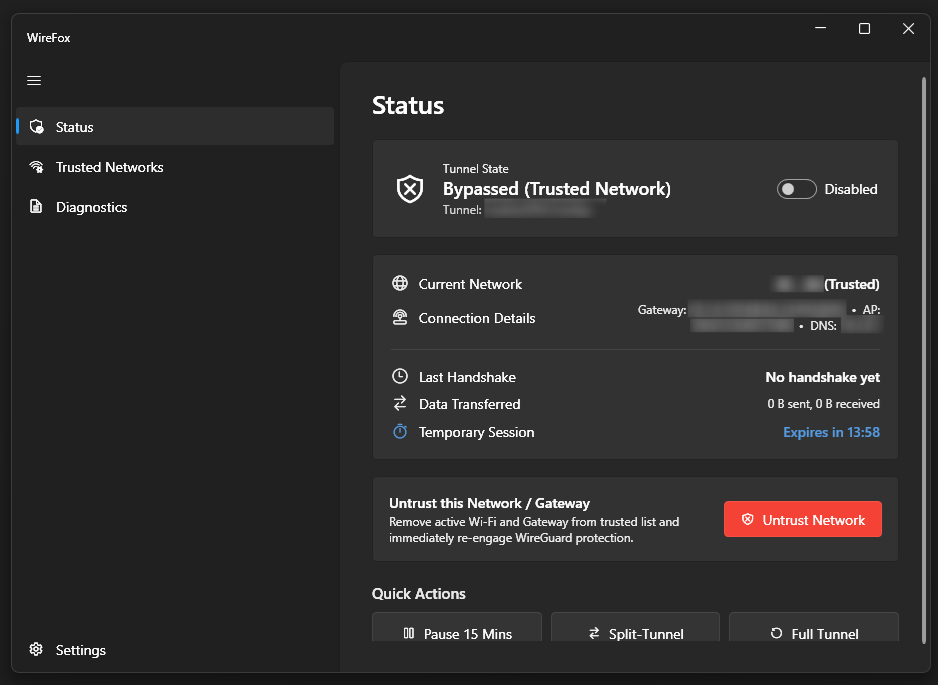
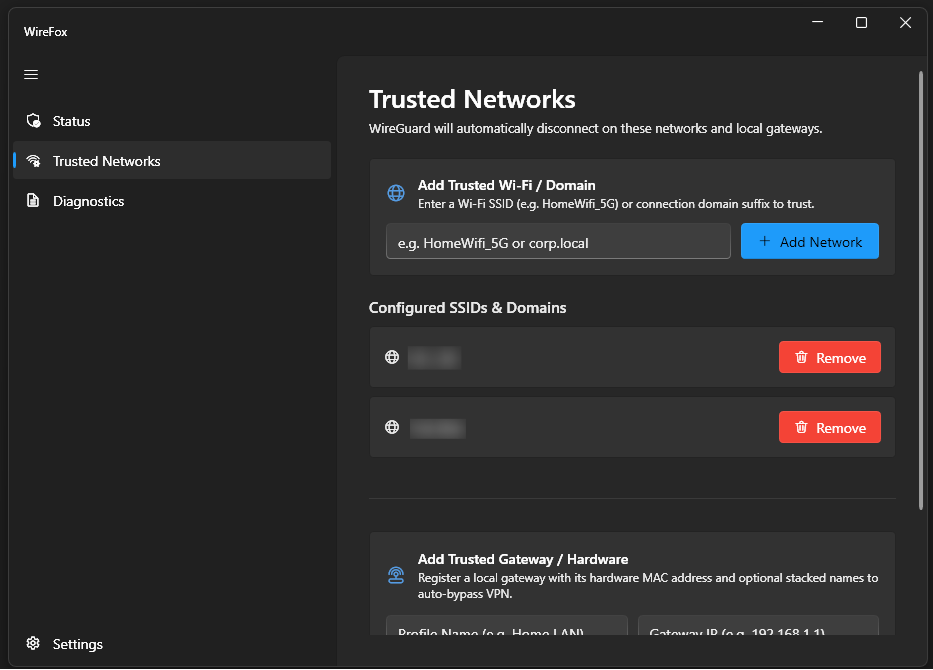
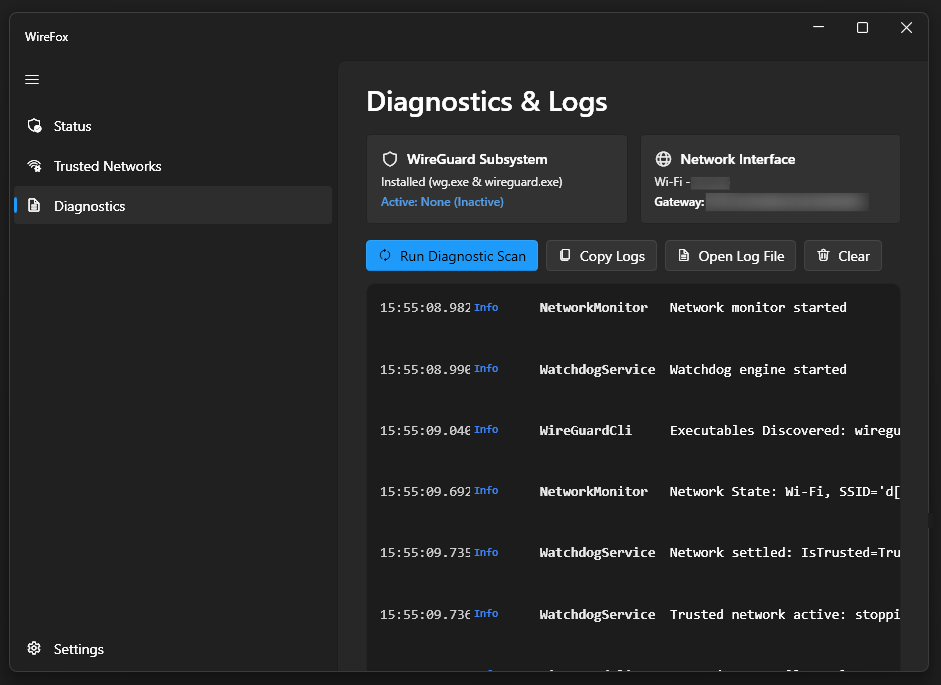
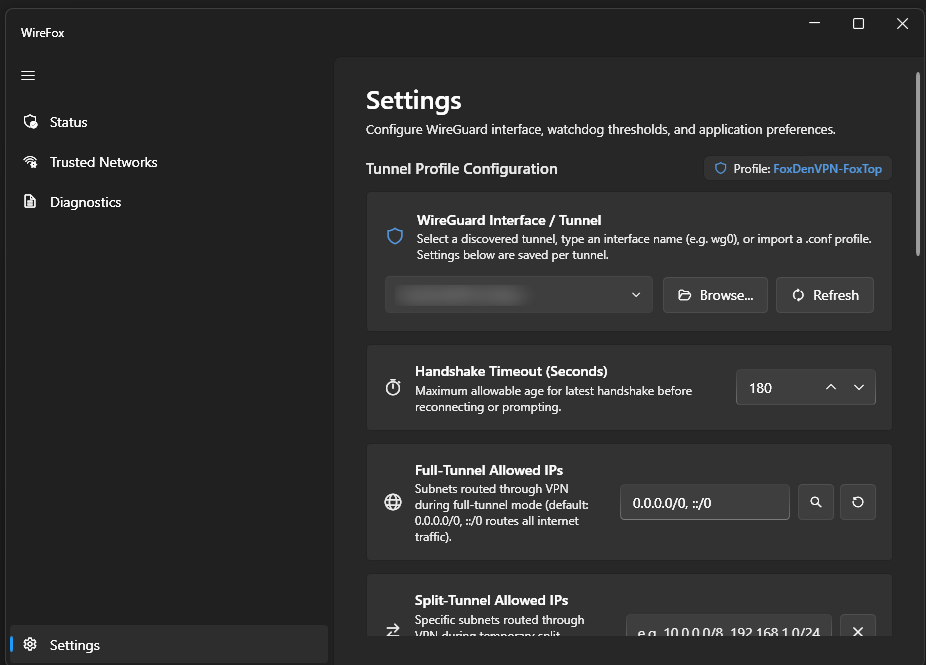
Engineered for WireGuard Power Users
WireGuard is unmatched in speed and cryptography, but Windows lacks native roaming intelligence. WireFox fills every gap.
Intelligent Network Roaming
Automatically disconnects WireGuard when you arrive home to restore full gigabit local network speed, and automatically spins the tunnel back up the second you roam onto an untrusted Wi-Fi hotspot or mobile tether.
Hardware Gateway MAC (ARP) Defense
SSID names can easily be cloned by rogue evil-twin access points. WireFox queries your router's physical MAC address via Windows iphlpapi.dll SendARP to ensure your trusted network is physically genuine.
Kernel Handshake Watchdog
Silent UDP packet drops, captive portals, and hotel splash screens can leave WireGuard in a "zombie" state. WireFox actively monitors kernel handshake timestamps and automatically re-engages stalled tunnels.
Interactive System Tray Daemon
Runs quietly in your Windows taskbar with real-time status badges (Green = Protected, Orange = Paused). Right-click for instant emergency controls without opening the app: Force-Kill WireGuard, toggle 15-minute pause/split-tunnel, or view live countdown tooltips. Starts silently on boot with zero UAC prompts.
15-Minute Pause & Split-Tunneling
Need to access a captive portal, local printer, or bypass a VPN block temporarily? Hit "Pause 15 Mins" or switch to configured Split-Tunnel AllowedIPs with one click. WireFox automatically re-arms when time is up.
Zero Telemetry & Binary Integrity
No analytics, no cloud accounts, and zero background tracking. All network evaluations happen 100% locally on your machine. WireFox interfaces directly with the official WireGuard Windows CLI tools and includes built-in one-click SHA-256 binary verification against official GitHub releases.
Why WireFox?
You shouldn't have to manually flip VPN switches every time you open your laptop. Let a watchful little fox in your tray handle it.
Manual & Fragile
- Must manually connect/disconnect every time you open your laptop.
- No concept of "Trusted Wi-Fi", needlessly throttling home LAN transfers through VPN.
- Silent connection drops leave your internet dead without warning.
- Requires fragile, complex Task Scheduler scripts that break on updates.
Automated & Resilient
- Seamless on-demand roaming identical to iOS and Android WireGuard clients.
- Auto-bypass on home Wi-Fi and verified gateway MAC hardware.
- Kernel handshake watchdog detects dead routes and auto-recovers.
- Sits quietly in the System Tray with zero UAC prompts and native toasts.
Install in Seconds
WireFox requires Windows 10 or 11, plus the official WireGuard client.
Windows Package Manager (WinGet)
Install WireFox directly via Windows Package Manager from any Terminal or PowerShell prompt:
winget install FoxDenSoftware.WireFox
Launch & Configure
Launch WireFox from your Start Menu or Terminal. Head to Settings to pick your WireGuard profile and configure your Trusted Networks.
Run Installer in PowerShell
Open PowerShell as Administrator and paste the following one-line installation command:
irm https://raw.githubusercontent.com/TalviFox/WireFox/main/install.ps1 | iex
Select Your WireGuard Tunnel
WireFox launches automatically. Head to Settings, pick your WireGuard profile from the dropdown, and add your home Wi-Fi SSID to Trusted Networks. You're done!
Download the Executable
Grab the latest standalone WireFox.exe directly from our GitHub Releases:
Launch as Administrator
Because WireFox manages Windows network adapter services and communicates with WireGuard's elevated service manager, Administrator privileges are required.
Verify Binary Integrity Against GitHub
WireFox is open-source. You can verify that your local binary cryptographically matches the official GitHub release checksums at any time:
irm https://raw.githubusercontent.com/TalviFox/WireFox/main/verify.ps1 | iex
In-App Hash Verification
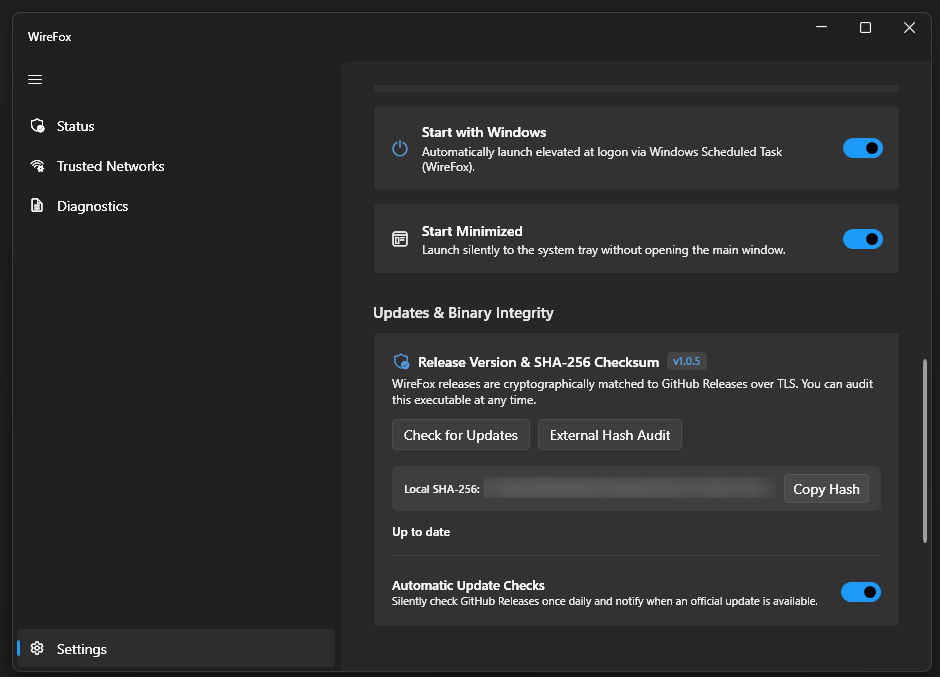
Inside the app under Settings > Updates & Binary Integrity, you can also view your live SHA-256 hash or trigger an external verification check anytime.
Frequently Asked Questions
wireguard.exe and wg.exe). WireFox doesn't reimplement the VPN protocol itself. Instead, it ensures your existing WireGuard tunnels connect and disconnect automatically based on your network.
Practically: Think of it like a vigilant little arctic fox sitting in your system tray, hitting the “Connect” button for you the split second you step away from trusted home Wi-Fi.
* Disclaimer: This is a best-effort defense-in-depth heuristic designed to thwart opportunistic evil-twin hotspots. It should not be considered a formal cryptographic security protocol, as Layer 2 MAC addresses can still be spoofed by an adversary with local packet visibility.
To proceed: In Windows SmartScreen, click “More info” → “Run anyway”. You can independently verify the binary's SHA-256 hash against our published GitHub release notes via
verify.ps1 or Get-FileHash WireFox.exe. WireFox is also 100% open source, so you can inspect the code and compile it yourself with dotnet publish.
uninstall.ps1). This cleanly removes the scheduled boot tasks, shortcut entries, and Program Files directory.